Before you start
- A Yandex Metrica counter must be installed on the same page as the chat widget.
- You need edit access to that counter.
- Open the website once without an ad blocker so Metrica and the widget can load together.
Create a goal
- 1
Open the goal list
In Yandex Metrica, select the required counter, open Goals, and click Add goal.
- 2
Choose the goal type
Under Custom events, select Target event (formerly JS event).
- 3
Enter the event
Give the goal a clear name. Set the condition to Matches and paste one event identifier, for example tc_lead_created.
- 4
Save and repeat
Click Add goal. Create a separate goal for each event you want to see in reports.
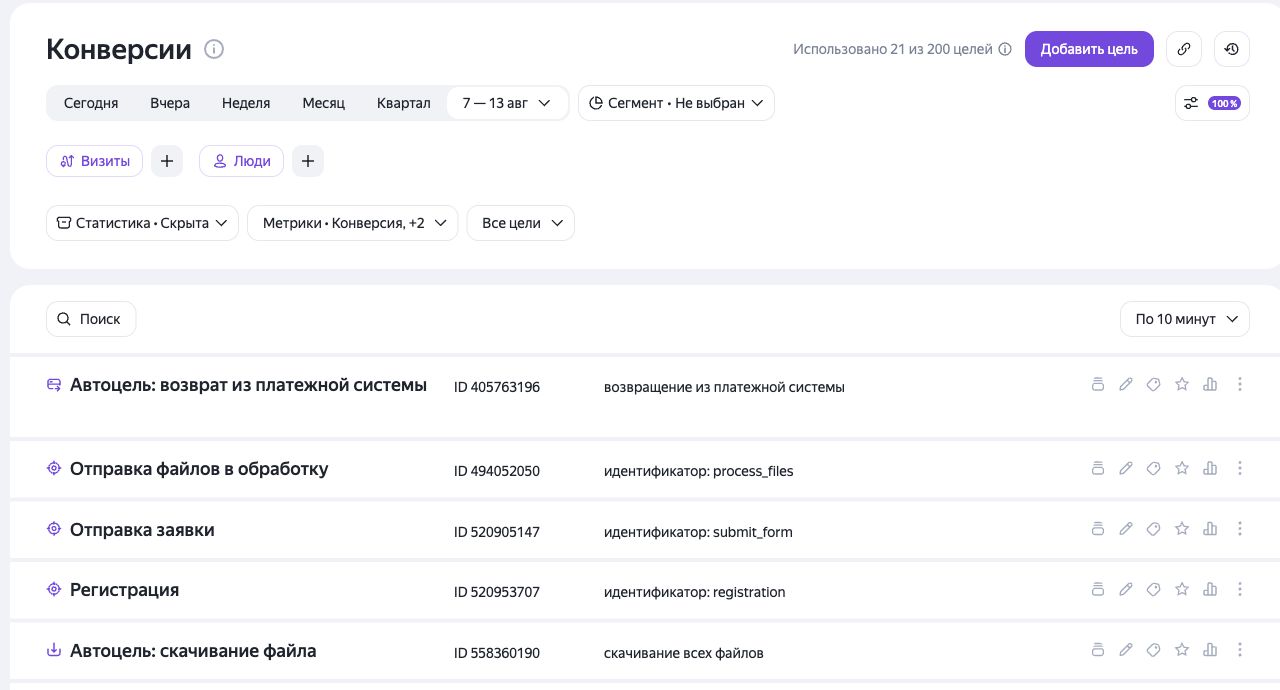
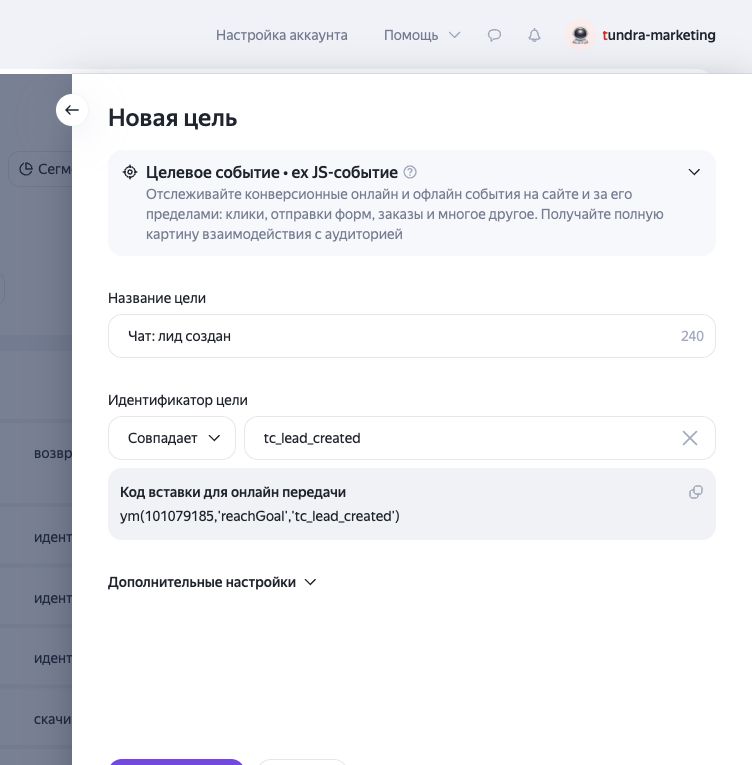
Screenshots show the Russian interface; button positions are the same in other interface languages.
Recommended goals
Start with these four. They cover the main conversion funnel without creating unnecessary noise.
Visitor started a chat
tc_client_chat_started The visitor sent the first message. Use this as the main “chat request” conversion.
Conversation established
tc_chat_established An AI or human operator joined and the conversation was established.
Contact form submitted
tc_contact_form_submitted The visitor submitted the contact form inside the widget.
Lead created
tc_lead_created The chat produced a lead. This is usually the strongest business conversion.
All available events
Identifiers are the same for both product contours and for every widget language.
| Event identifier | When it fires |
|---|---|
tc_widget_loaded | Widget loaded on the page. |
tc_chat_opened | Visitor opened the chat window. |
tc_chat_closed | Visitor closed the chat window. |
tc_proactive_shown | A proactive invitation was shown. |
tc_proactive_accepted | Visitor replied to a proactive invitation. |
tc_client_chat_started | Visitor sent the first message. |
tc_chat_established | A conversation with an AI or human operator was established. |
tc_contact_form_shown | The contact form was shown. |
tc_contact_form_submitted | The contact form was submitted. |
tc_lead_created | A lead was created from the conversation. |
tc_operator_requested | The visitor requested a human operator. |
tc_operator_connected | A human operator joined the conversation. |
tc_dialog_completed | The conversation was completed. |
tc_client_message_sent | The visitor sent a message; the message number is passed as a parameter. |
tc_followup_shown | A follow-up prompt was shown. |
tc_quick_reply_clicked | The visitor selected a quick reply. |
tc_outbound_link_clicked | The visitor opened an external link from the chat. |
tc_privacy_policy_clicked | The visitor opened the privacy policy from the chat. |
Check that data is arriving
- 1
Open your website in a new tab and perform the action you configured—for example, send the first chat message.
- 2
In Yandex Metrica, open Goals or Conversions and select today’s date range.
- 3
New data may take several minutes to appear. Do not create another goal with the same identifier while you wait.